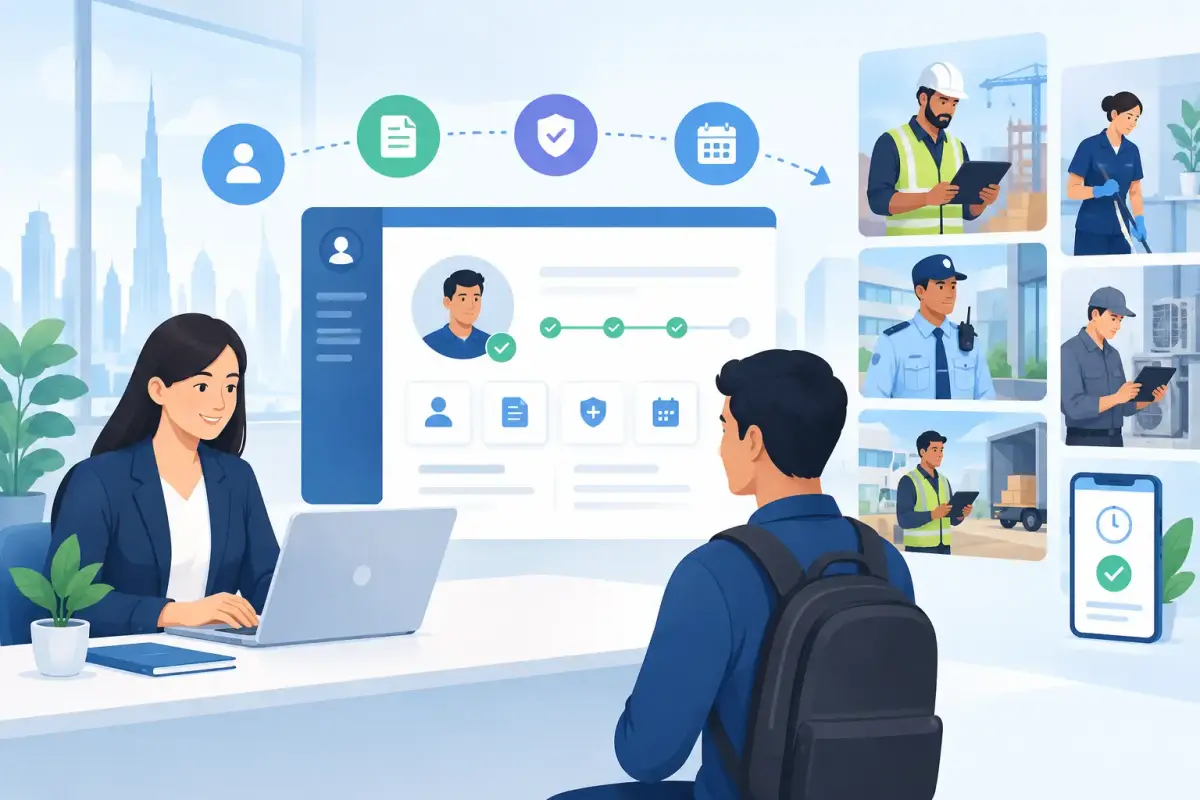
A new employee's first few days often expose the gaps in an HR process. Documents sit in email inboxes, managers chase approvals, payroll details arrive late, and site teams may not know a worker has started. For growing businesses, the decision to automate employee onboarding is not about adding more software. It is about making sure every new hire is ready to work, recorded correctly, and connected to the right team from day one.
For UAE and GCC businesses with office teams, shift workers, or employees across multiple sites, onboarding also affects attendance setup, leave eligibility, payroll readiness, and manager visibility. A clear automated process reduces repetitive follow-up while giving HR and operations a reliable record of what has been completed.
Why manual onboarding creates operational delays
Manual onboarding usually starts with a spreadsheet, an email checklist, and good intentions. That approach can work when a company hires occasionally. It becomes difficult when employee numbers grow, departments operate differently, or workers join across several locations and shifts.
The problem is not simply paperwork. When employee data is entered more than once, HR, finance, and operations can end up working from different information. An employee may be added to payroll but not assigned a shift. A manager may approve a start date while HR is still waiting for identification documents. A field employee may arrive at a site without access to the correct mobile attendance policy.
These delays create avoidable work for everyone. HR spends time answering status questions, managers make decisions without complete information, and employees start their roles unsure of what is expected. The risk of payroll adjustments and attendance disputes increases when the original employee record is incomplete.
Automation brings the process into one controlled workflow. It does not remove human judgment. Instead, it makes routine steps visible, repeatable, and easier to complete on time.
How to automate employee onboarding step by step
The most effective onboarding automation begins with the actual process your teams follow, not with a long list of features. Map the journey from the confirmed start date through the employee's first working week. Identify where information is collected, who must approve it, and what must be ready before the employee can work.
Start with one employee record
Create a single employee profile that becomes the source of truth for HR, payroll, attendance, and manager information. Core personal details, job title, department, reporting manager, work location, salary information, and relevant documents should be collected in a structured format rather than scattered across emails.
This matters because onboarding data does not stay within HR. Payroll teams need accurate salary and bank details. Operations teams need the right work location and shift. Managers need to know reporting relationships and joining dates. Entering this data once helps reduce duplicate work and conflicting records later.
For organizations operating in Arabic and English environments, make sure forms, employee self-service instructions, and approvals are easy for the intended users to understand. A process that is technically automated but confusing for employees will still generate follow-up work.
Build workflows around approvals, not reminders
A reminder email can prompt action, but it cannot confirm that a process is complete. An automated onboarding workflow should move tasks forward based on approvals and completed requirements.
For example, once HR enters a new employee, the system can send a document request to the employee, notify the manager to confirm the reporting structure, and alert finance when payroll information is ready for review. Each person sees the task assigned to them, rather than receiving a long email chain with unclear ownership.
Use approval rules that reflect how your company actually works. A small office may only need HR and a department manager to approve key details. A construction, security, cleaning, or logistics business may also need site assignment, supervisor confirmation, shift allocation, and attendance access before the first day. The workflow should be flexible enough to match the workforce, not force every employee through the same unnecessary steps.
Collect documents digitally and track completion
Missing documents are one of the most common causes of onboarding delays. Give employees a secure way to submit required documents and let HR see what is outstanding at a glance. The goal is not to collect every possible file. It is to request the documents needed for the employee record and internal process, then clearly track their status.
Automated notifications can follow up before the joining date without HR having to send individual messages. At the same time, avoid excessive reminders. One clear request, a scheduled follow-up, and an escalation to HR or the manager is usually more effective than repeated alerts that employees ignore.
Document collection should also include validation steps where needed. HR may need to review whether a file is readable or whether required fields are complete before moving the employee to the next stage. Automation should make that review easier, not bypass it.
Set up attendance, shifts, and leave rules before day one
For many businesses, onboarding is incomplete until the employee can record attendance correctly. This is especially important for mobile teams, site-based workers, and organizations that use fixed or variable shifts.
Assign the correct attendance policy, work location, shift pattern, and reporting manager as part of the workflow. If your organization uses mobile clock-in and clock-out, geofencing, or face recognition, make sure the employee receives clear instructions before their first shift. A worker who does not know where or how to clock in can create an attendance exception on the first day.
Leave policies should also be assigned based on the employee's role and company policy. When leave balances and approval routes are set early, employees and managers can use self-service from the start instead of relying on paper requests or informal messages.
Connect onboarding to payroll preparation
Payroll should not be a separate cleanup exercise after hiring. The employee record needs the right salary components, payment details, and effective dates before the payroll cycle begins. Automating these handoffs helps finance teams see whether employee information is complete and ready for processing.
For companies in the UAE, a platform that supports UAE WPS payroll requirements can help organize payroll preparation and reduce manual re-entry. It remains important for HR and finance to review employee data and payroll outputs, particularly when there are salary adjustments, overtime rules, or variable allowances. Automation improves consistency, but review remains part of responsible payroll operations.
Give managers and employees self-service access
A new employee should not need to contact HR for every basic action. Employee self-service can allow them to view and update approved personal information, submit leave requests, access relevant documents, and use attendance tools where applicable. This creates a more organized first experience while reducing administrative pressure on HR.
Managers need a different view. They should be able to confirm team details, approve requests, review attendance exceptions, and see who is joining their team. Giving managers timely visibility prevents the common situation where HR has completed the record but the direct supervisor has not prepared for the employee's arrival.
What to automate and what to keep human
Not every onboarding activity should be automated. Data collection, document requests, approvals, task notifications, policy assignments, and checklist tracking are strong candidates because they are repeatable and time-sensitive.
Human interaction remains essential for role expectations, site introductions, team communication, and support during the first days. A workflow can notify a manager to arrange an introduction, but it cannot create a useful conversation between a supervisor and a new employee. The best process uses automation to protect time for the parts of onboarding that require attention and context.
This distinction matters for heavy-workforce businesses. A site supervisor may need to confirm that a worker understands local procedures and shift expectations in person. Automation can record that confirmation and trigger the next task, while the supervisor focuses on practical readiness.
Measure whether onboarding automation is working
Once you automate employee onboarding, track outcomes rather than just counting completed forms. Look at the time from employee record creation to readiness for work, the percentage of employees with complete documents before their start date, and the number of first-month payroll or attendance corrections.
Also review where tasks pause. If manager approvals are consistently late, the issue may be the approval design or notification timing. If employees regularly submit incomplete information, simplify the form or improve instructions. Automation gives you the visibility to improve the process over time instead of accepting delays as normal.
A platform such as Mowazaf can bring employee records, workflow approvals, documents, attendance, leave, and payroll preparation into one practical system, giving HR, finance, and operations a clearer view of each employee's readiness.
Start with the steps that create the most chasing and re-entry today. When those steps become clear, assigned, and trackable, new employees can spend less time waiting for administration and more time getting ready to contribute.