A delayed timesheet approval can become a payroll problem. A missing attendance record can become a dispute. And when employee data lives across spreadsheets, local servers, paper forms, and separate apps, HR teams spend too much time chasing information instead of managing the workforce. That is why the cloud vs on-premise HRMS decision matters far beyond where software is installed.
For growing companies, the right HRMS should make payroll, leave, attendance, approvals, and employee records easier to manage every day. The best option depends on your operating model, internal IT capacity, workforce locations, security requirements, and plans for growth.
Cloud vs On-Premise HRMS: The Core Difference
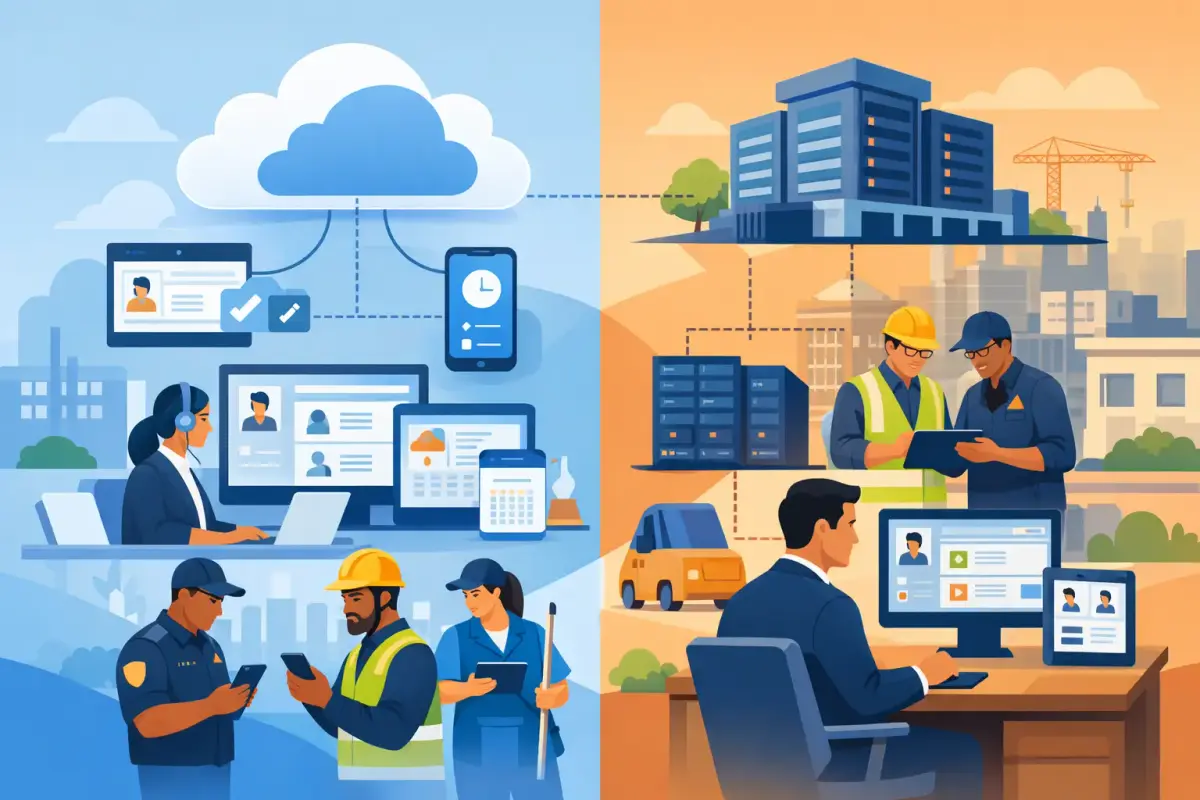
A cloud HRMS is hosted by the software provider and accessed through a web browser or mobile app. Your team logs in securely from the office, a job site, home, or another location with internet access. The provider manages the hosting, system updates, backups, and ongoing platform improvements.
An on-premise HRMS is installed on servers owned or controlled by your company. Your internal IT team, or an outsourced technology partner, is usually responsible for server maintenance, upgrades, backups, access controls, and technical troubleshooting.
This is not simply a choice between "online" and "offline." It is a decision about who carries the operational responsibility for keeping your HR system available, current, secure, and useful as your business changes.
Why Cloud HRMS Works for Growing Workforces
Cloud HRMS platforms are often a practical fit for small and mid-sized businesses because they reduce the technical work required to run a central HR system. Instead of purchasing infrastructure and planning long implementation cycles, teams can focus on configuring employee data, approval workflows, leave policies, shifts, and payroll processes.
For HR, finance, and operations teams, accessibility is a major advantage. Managers can approve leaves, timesheets, claims, and overtime without being at a specific office computer. Employees can check balances, submit requests, update documents, and view relevant information through self-service tools. This reduces follow-up emails and paper forms while creating a clearer approval trail.
Cloud access is especially valuable for companies with multiple sites, mobile teams, shifts, or field employees. A security company managing guards across several locations, for example, needs timely attendance visibility. A maintenance or logistics business may need supervisors to review timesheets from sites rather than wait until they return to headquarters. Mobile clock-in and clock-out, geofencing, face recognition, and shift management can turn attendance from a monthly cleanup task into a controlled daily process.
Cloud systems also make updates easier. As a provider improves reporting, workflows, mobile features, or payroll functionality, customers can benefit without arranging a large internal upgrade project. For businesses in the UAE and GCC, a localized cloud platform can also support Arabic and English work environments and help teams manage payroll processes with UAE WPS requirements in mind.
The Cost Model Is Easier to Plan Around
Cloud HRMS is generally sold as a subscription. Rather than making a large upfront investment in servers, licenses, and deployment, businesses pay a recurring fee based on their workforce size and chosen features. This can make budgeting more predictable, particularly for companies that are expanding or managing seasonal workforce changes.
The subscription is not the only cost to consider. You should also assess implementation support, data migration, training, integrations, and the time required to clean up existing employee records. But cloud software usually removes hardware purchases and reduces the cost of maintaining specialized infrastructure internally.
Remote Access Requires Good Operating Discipline
Cloud access does not mean access should be open to everyone. A well-configured cloud HRMS should use role-based permissions so employees, managers, HR, finance, and administrators see only the information relevant to their roles. Companies should also apply strong passwords, access reviews, and clear offboarding procedures when employees leave.
The responsibility is shared. Your provider manages the platform environment, while your business must manage user access, approval authority, and data-entry discipline. That is true with any HRMS, but cloud software makes consistent internal processes even more valuable because more people can use the system from more locations.
When On-Premise HRMS May Make Sense
An on-premise HRMS can suit organizations that have a strong internal IT function, established server infrastructure, and a clear need to keep applications within their own controlled environment. Some companies prefer direct control over system configuration, upgrade timing, and infrastructure decisions.
It can also be considered where internet reliability is a serious operational limitation or where a business has highly specific internal technology policies. However, these scenarios should be assessed carefully. Local installation alone does not eliminate downtime, security risk, or maintenance work. It transfers more of that responsibility to the company.
For a business with experienced IT administrators and stable requirements, on-premise software may provide a level of control they value. Yet control comes with ongoing obligations: maintaining servers, monitoring performance, testing backups, applying security patches, planning upgrades, and resolving technical issues. If the HR team relies on IT for every report adjustment, workflow change, or version upgrade, the system can become harder to improve over time.
The Hidden Cost Is Often Maintenance
The initial purchase price is only one part of an on-premise HRMS investment. Hardware replacement, database management, backup storage, security tools, IT support, upgrade projects, and business interruption can add significant cost over several years.
There is also a people cost. When a payroll deadline is approaching, HR and finance teams need dependable access to attendance, overtime, salary adjustments, leave deductions, and approved claims. If the system requires technical intervention to stay available or current, that pressure falls on both HR and IT.
On-premise software may appear less expensive after the initial purchase, but the total cost depends on how long it is used, how much customization it requires, and how much internal support it consumes. Compare the full operating cost, not only the license price.
Compare the Options Against Your Actual Workflows
The most useful cloud vs on-premise HRMS comparison starts with real work, not feature checklists. Review how employees are onboarded, how documents are collected, who approves leaves, how shifts are assigned, how attendance is verified, and what finance needs before payroll is finalized.
If your company has office-based employees working from one location, the decision may be relatively straightforward. If you manage hundreds of employees across construction sites, cleaning contracts, hospitals, warehouses, or customer locations, workforce visibility becomes more important. The system must support the reality of fixed and variable shifts, overtime, site-based attendance, timesheet approvals, and manager access outside the office.
Ask vendors how their platform handles these practical questions:
- Can employees and managers complete routine tasks without repeated HR assistance?
- Can attendance records, leaves, overtime, claims, and approved timesheets flow into payroll accurately?
- Can permissions be separated for HR, finance, site supervisors, and department managers?
- Can the platform adapt as locations, shifts, approval rules, and headcount change?
- Can your team get usable reports without relying on technical specialists?
A system that looks strong in a demo but creates daily workarounds will not solve the underlying problem. Prioritize simple workflows, clear data ownership, and features your managers and employees will actually use.
Security and Data Control Need a Practical View
Security is a valid concern in both deployment models. Cloud providers generally invest in infrastructure security, monitoring, backup practices, and controlled updates because the platform depends on customer trust. On-premise environments offer direct internal control, but the business is responsible for maintaining that security consistently.
The better question is not which model is automatically safer. Ask where your company can manage risk more effectively. Review user permissions, data backup practices, audit visibility, provider security processes, access controls, and how quickly security updates are applied. For most growing businesses, a professionally managed cloud environment can be more practical than maintaining equivalent protections on internal servers.
Choose the System That Reduces Daily Friction
For many SMEs and operational workforce companies, cloud HRMS offers the stronger balance of accessibility, lower infrastructure burden, scalability, and fast access to improvements. It is particularly effective when attendance, shifts, field operations, payroll, and approvals need to stay connected.
On-premise HRMS can be appropriate when a company has a compelling infrastructure reason and the IT resources to support it over the long term. But it should be chosen deliberately, not because local servers feel more familiar.
Mowazaf is built for teams that need centralized HR, attendance, leave, payroll, and workforce workflows without adding unnecessary complexity. A practical platform should help your people spend less time correcting records and chasing approvals, and more time keeping the business moving.