All modulesMobile

For the people who clock in before they sit down.

Native iOS and Android apps for clock-in, leave, payslips and approvals — not a wrapped web page.

Get a quoteOpen the sandbox

Part of Mowazaf HRMS. The sandbox is a shared demo company that resets every night.

Platforms
Web, iOS and Android
Languages
Arabic, English and French

Why this module exists

The people an HR system is about are rarely the people it is designed for.

HR software is designed for whoever administers it, and the people who touch it most rarely sit at a desk.

In the hand

What the app is for.

Short tasks, done standing up.

  • Clock in and outWith the geofence and face recognition the site requires.
  • Leave requestsThe request, the balance, and where it is in the chain.
  • PayslipsOn the phone, without asking for a copy.
  • ApprovalsA manager’s queue in a pocket.
  • Shifts and swapsYour schedule, and a swap through the same approval.
  • Arabic, English and FrenchThe same three languages as the web app.

Native

What a wrapped web page cannot do.

That is the actual job, so the apps are built for iOS and Android.

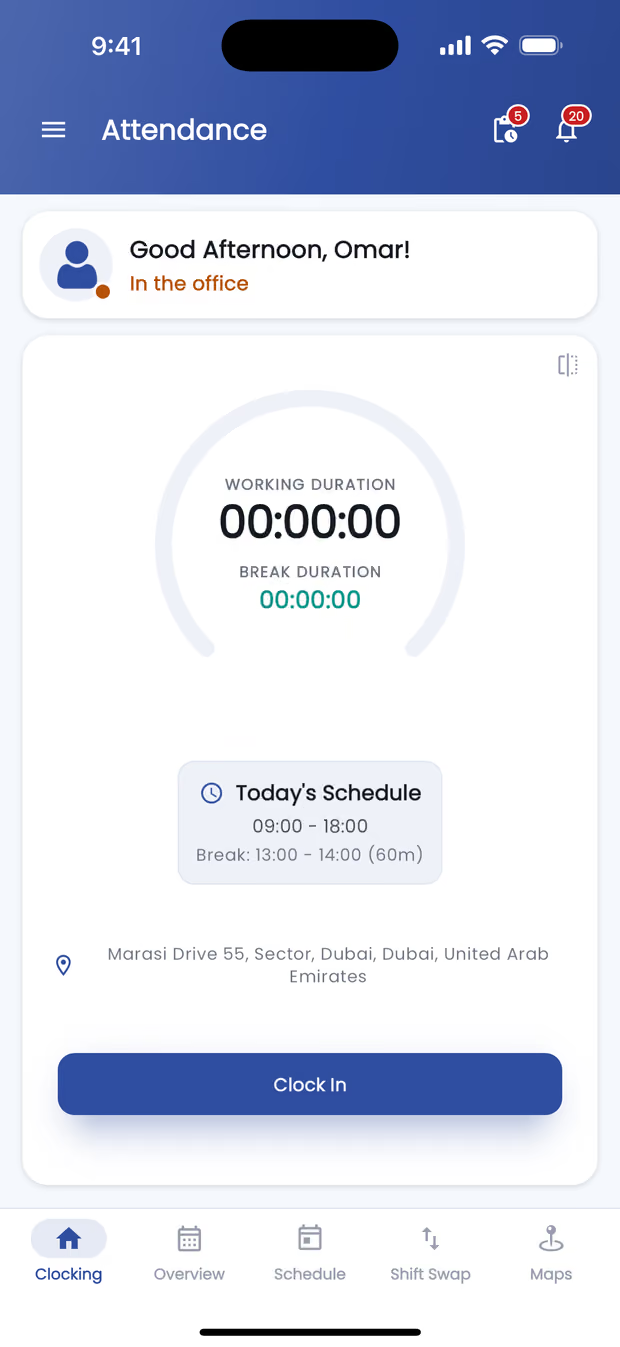
The Mowazaf mobile app’s clock-in screen: a working-duration timer, today’s schedule with its break window, the address of the site the phone has resolved, and a Clock In button.Sample data
English — the clock-in screen, the app’s own render.
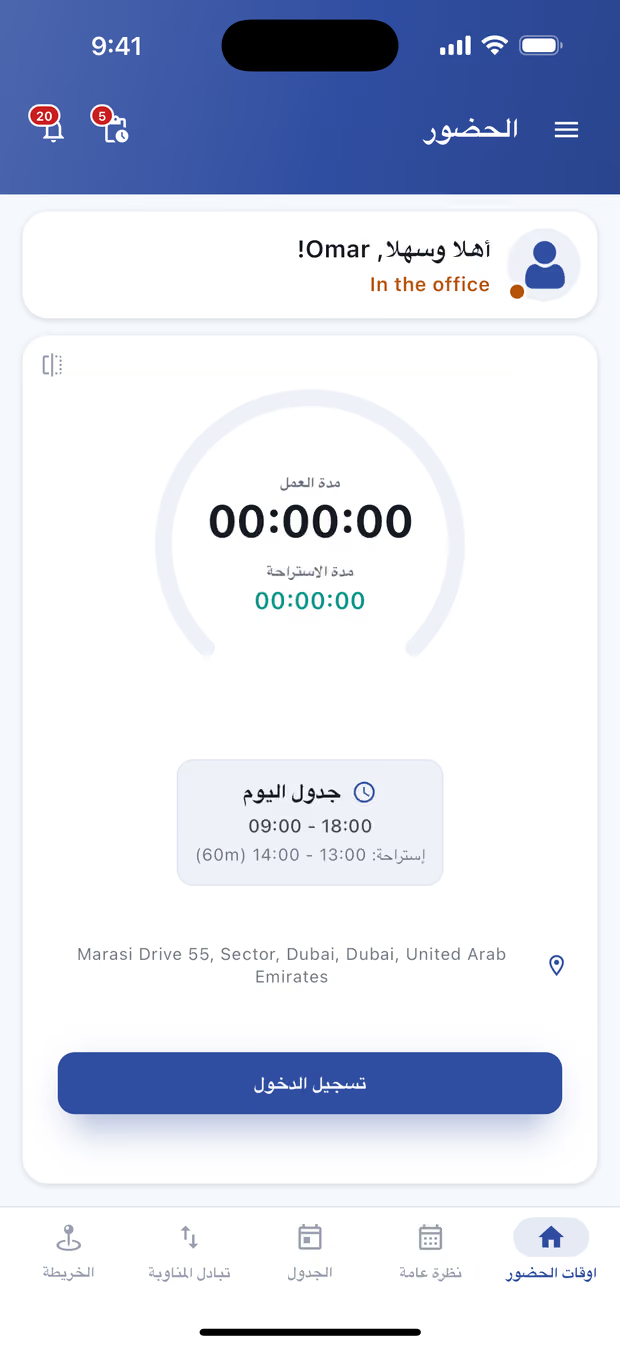
The Mowazaf mobile app’s clock-in screen in Arabic, laid out right to left: a working-duration dial with the break timer under it, today’s schedule with its break window, the address the phone has resolved, and a clock-in button.Sample data
Arabic, right to left — the app’s own render, not a mirrored image.
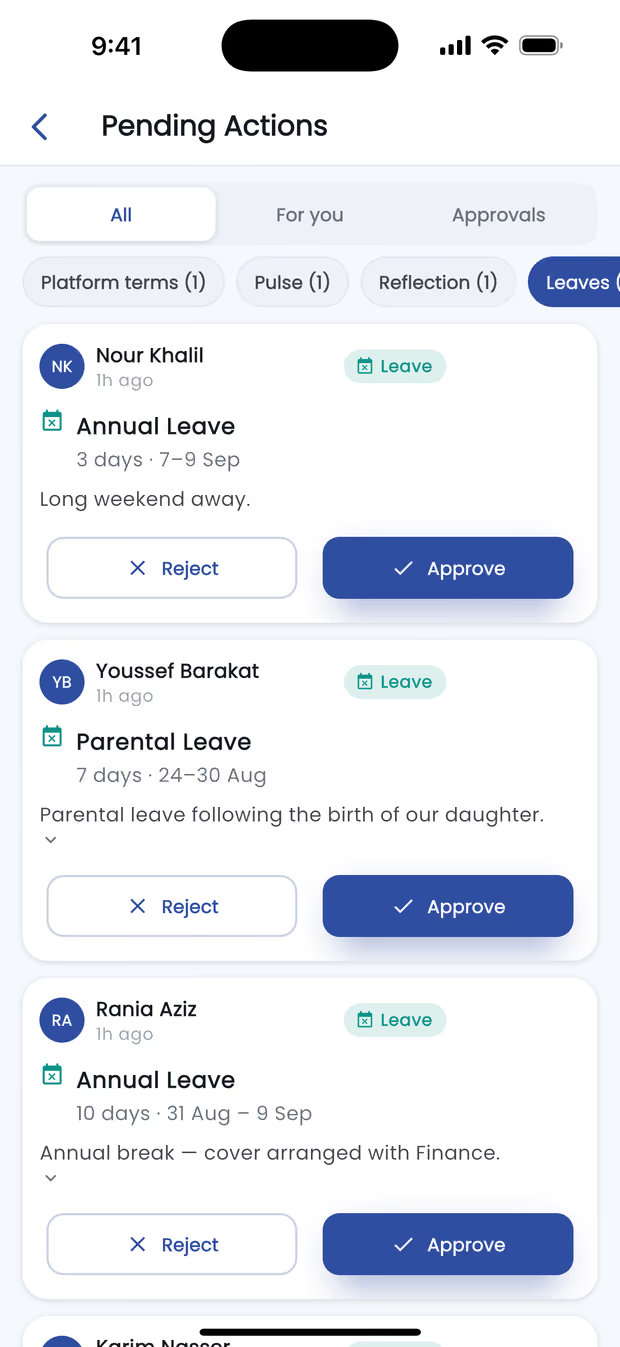
The Mowazaf mobile app’s approvals queue: filter chips across the top, then one card per pending leave request showing who asked, the leave type, its length and dates, the stated reason, and Reject and Approve buttons.Sample data

On site

Clock in

Recorded

Approvals

  • Leave request
  • Correction request
  • Shift swap

Awaiting you

Diagram · the tasks the app is built around

What each one can reach

  • Read a payslipReaches itReaches it
  • A location fixDoes not reach itReaches it
  • The camera, for face recognitionDoes not reach itReaches it
  • A shift notification, before the shiftDoes not reach itReaches it
Which is why both apps are native rather than a site in a shell.

One system

The same record, in a smaller window.

A leave request filed on a phone is the same request the approver sees on the web, from the same balance.

One request, two windows

On the phoneFiles a leave request
On the webApproves the same request
One employee recordOne balance, drawn down once
Diagram, not data. No name, balance or date appears on it.

Common questions

Where do we download the apps?

On iOS and Android. Create the company first — the web account is the phone account.

Does the app work for managers as well as employees?

Yes. Approvals are one of the things it is built around.

Is Arabic supported on mobile?

Yes, as a genuine right-to-left interface.


Put clock-in on the phones your team already carries.

The apps come with Mowazaf HRMS. Tell us your headcount and we will quote it in writing within one business day.

The sandbox

One step before the sandbox

The sandbox is the real application, running in a shared demo company that resets every night, so nothing you enter in it is kept. Tell us who you are and we will take you straight in.

Required unless marked optional.

With your country code, e.g. +44 20 7946 0000.